
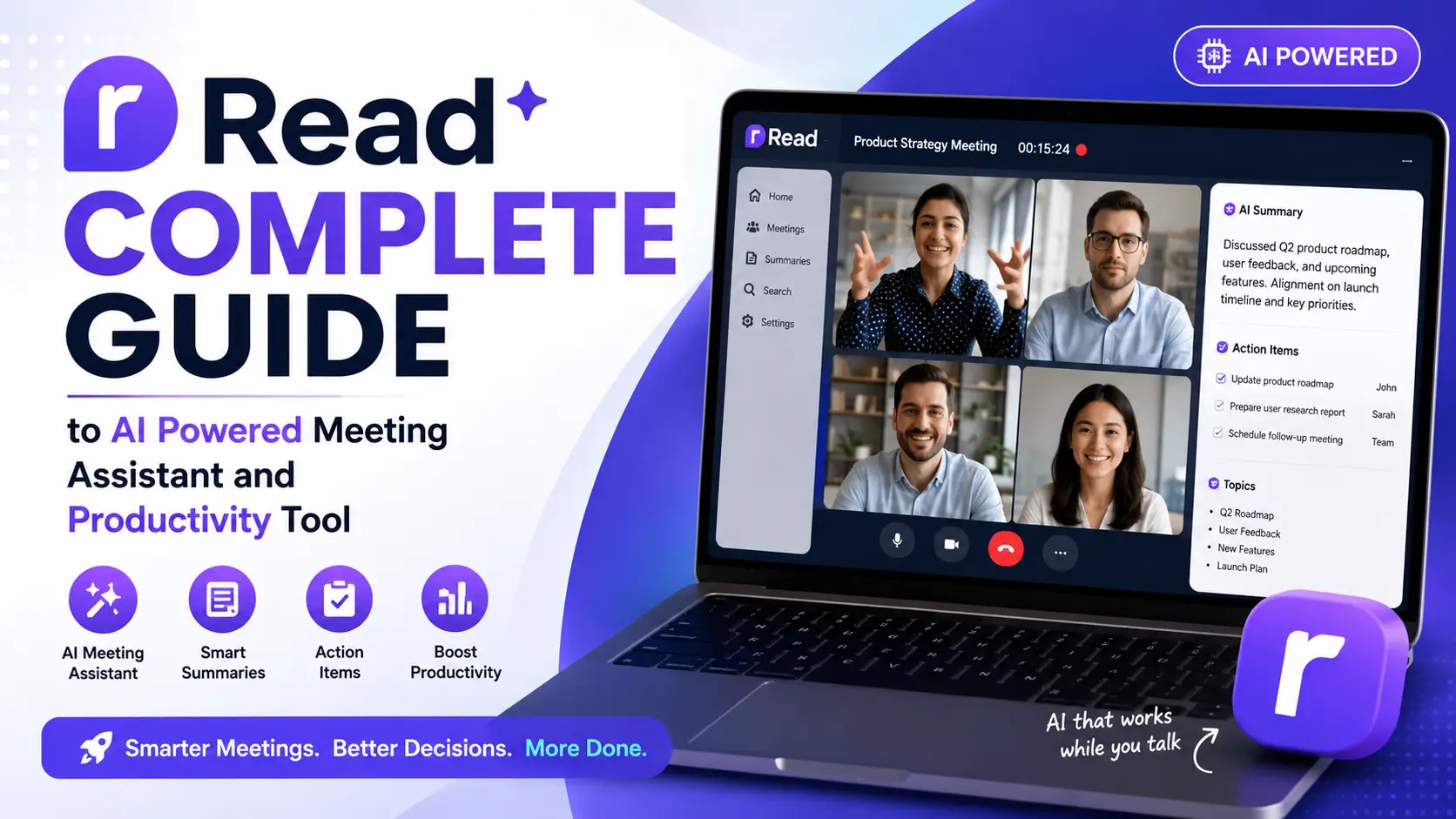
Read AI is an innovative artificial intelligence platform specifically designed to solve these meeting productivity challenges. The platform uses advanced AI technology to automatically transcribe meetings, generate intelligent summaries, identify key topics and action items, measure participant engagement, and provide actionable insights that help professionals get more value from every meeting they attend.
According to research published by Harvard Business Review, professionals spend an average of 23 hours per week in meetings and a significant percentage of that time is considered unproductive by the participants themselves. This staggering statistic highlights the enormous opportunity for AI powered tools like Read AI to transform how people experience and benefit from meetings by automating the most time consuming aspects of meeting management and follow up.
For more useful information, check out our complete guide on this site.
What Is Read AI
Read AI is an AI powered meeting assistant and productivity platform that integrates directly with popular video conferencing tools to provide real time meeting intelligence, automatic transcription, smart summaries, engagement analytics, and actionable follow up recommendations. The platform is designed to help professionals, teams, and organizations get significantly more value from the time they spend in meetings.
The fundamental purpose of Read AI is to eliminate the manual and time consuming work associated with meeting documentation and follow up. Instead of frantically taking notes during a meeting and spending additional time afterward organizing those notes and creating summaries, users can rely on Read AI to handle all of this automatically with a level of accuracy and consistency that manual note taking simply cannot match.
Read AI works by joining meetings as an intelligent participant that listens, transcribes, and analyzes the conversation in real time. After the meeting concludes the platform generates a comprehensive summary that includes key discussion points, decisions made, action items identified, and any follow up tasks that were mentioned during the conversation.
The platform goes beyond simple transcription and summarization by also providing meeting engagement analytics. These analytics measure factors like participant engagement levels, talk time distribution, sentiment analysis, and meeting effectiveness scores. This data provides valuable insights that help individuals and teams understand how their meetings are performing and identify opportunities for improvement.
Read AI integrates seamlessly with the most popular video conferencing platforms including Zoom, Microsoft Teams, and Google Meet. This native integration means that users do not need to switch to a different meeting tool or change their existing workflows. The AI assistant simply enhances the meetings that users are already having on their preferred platforms.
The platform also extends its AI capabilities beyond live meetings to include email and messaging intelligence. This broader scope allows Read AI to help users manage their overall communication more effectively rather than focusing exclusively on meeting interactions.
How Read AI Works
Understanding the technical workflow of Read AI helps users appreciate how the platform delivers its meeting intelligence capabilities and how it fits into existing professional workflows.
The process begins when a user connects Read AI to their video conferencing platform. This connection is established through a simple integration process that typically takes just a few minutes. Once connected Read AI can automatically join scheduled meetings or be manually invited to specific meetings depending on the user’s preferences and settings.
When a meeting begins Read AI joins as a participant and immediately starts recording and transcribing the conversation in real time. The AI uses advanced speech recognition technology to convert spoken words into accurate text, identifying different speakers and attributing their words correctly throughout the transcript.
During the meeting the AI is not just passively transcribing but actively analyzing the conversation. It identifies key topics being discussed, flags important decisions and action items, tracks how much each participant is speaking, and monitors engagement signals that indicate whether the meeting is productive and focused.
When the meeting ends Read AI processes all the collected data and generates a comprehensive meeting report. This report typically includes a full searchable transcript, a concise summary of the key points discussed, a list of identified action items with assigned owners where applicable, engagement metrics for each participant, and recommendations for follow up activities.
The meeting report is automatically distributed to participants through their preferred channels such as email or messaging platforms. This automated distribution ensures that everyone who attended the meeting receives the same consistent and accurate record of what was discussed and decided.
Users can also search through their historical meeting data to find specific discussions, decisions, or action items from past meetings. This searchable archive becomes increasingly valuable over time as it creates a comprehensive organizational memory of all important conversations and decisions.
Key Features of Read AI
Read AI offers a rich set of features that together create a comprehensive meeting intelligence and productivity solution. Each feature is designed to address a specific pain point in the meeting experience.
Table 1: Key Features of Read AI
| Feature | Description | User Benefit |
|---|---|---|
| Automatic Transcription | Real time speech to text conversion | Accurate meeting records without manual notes |
| Smart Summaries | AI generated meeting summaries | Quick review of key points and decisions |
| Action Item Detection | Automatic identification of tasks and follow ups | Clear accountability and task tracking |
| Engagement Analytics | Participant engagement measurement | Understand meeting effectiveness |
| Speaker Identification | Attribute speech to individual participants | Know who said what accurately |
| Sentiment Analysis | Detect emotional tone of conversations | Understand team dynamics and morale |
| Meeting Scoring | Overall meeting effectiveness rating | Identify opportunities for improvement |
| Integration Support | Works with Zoom, Teams, Google Meet | No need to change existing tools |
The automatic transcription feature is the foundation upon which all other features are built. Without accurate transcription the platform cannot generate summaries, identify action items, or perform meaningful analysis. Read AI uses state of the art speech recognition that achieves high accuracy levels even in challenging audio environments with multiple speakers and background noise.
Smart summaries save users significant time by distilling lengthy meeting conversations into concise and actionable summaries. These summaries capture the essential information from the meeting without requiring users to read through the entire transcript. For professionals who attend many meetings daily, this feature alone can save hours of post meeting processing time.
Engagement analytics provide a unique and valuable perspective on meeting quality that is not available through manual observation. By measuring factors like talk time distribution, participation levels, and attention indicators, Read AI helps teams understand whether their meetings are truly collaborative and productive or dominated by a few voices while others disengage.
Who Should Use Read AI
Read AI is designed for a broad range of professional users who spend significant time in meetings and want to extract more value from that time investment.
Business executives and managers who attend numerous meetings throughout the day benefit enormously from automated transcription and summarization. Instead of relying on memory or hastily taken notes they receive comprehensive and accurate meeting records that ensure nothing important is missed or forgotten.
Sales professionals can use Read AI to record and analyze client calls and sales meetings. The transcriptions and summaries help sales teams track client requirements, follow up on commitments, and improve their sales conversations based on engagement analytics and sentiment data.
Project managers who coordinate multiple teams and workstreams benefit from the action item detection feature. Automatically captured tasks and follow ups ensure that project activities discussed in meetings are properly tracked and assigned without relying on manual note taking.
Human resources professionals can use meeting intelligence for interview documentation, employee feedback sessions, and team meeting analysis. The objective data provided by Read AI can help HR teams identify patterns in communication and engagement across the organization.
Remote and hybrid teams that rely heavily on video meetings for their daily communication find Read AI particularly valuable. When team members are distributed across different locations and time zones, having accurate and searchable meeting records ensures that everyone stays aligned even when they cannot attend every meeting in real time.
Educators and trainers can use the platform to record and transcribe training sessions, lectures, and educational meetings. Students and trainees who miss a session can catch up through the transcript and summary rather than relying on second hand notes.
Discover more useful information in our complete information about this site.
Read AI Pricing and Plans
Understanding the pricing structure of Read AI helps potential users evaluate whether the platform offers good value for their specific meeting productivity needs.
Read AI offers a tiered pricing model that includes a free tier for individual users who want to experience the basic capabilities of the platform, and premium tiers that unlock advanced features, higher usage limits, and team management capabilities.
The free tier typically provides a limited number of meeting transcriptions and summaries per month. This allows individual users to test the platform and experience its core features before deciding whether to invest in a paid subscription.
The professional tier is designed for individual power users who attend many meetings and need unlimited or significantly higher usage limits along with access to advanced features like detailed engagement analytics and sentiment analysis. This tier represents the best value for individual professionals who want to maximize their meeting productivity.
The enterprise tier is designed for organizations that want to deploy Read AI across teams or entire companies. Enterprise pricing typically includes advanced administrative controls, team analytics dashboards, enhanced security features, and dedicated customer support.
Table 2: Read AI Pricing Overview
| Plan | Cost | Features Included | Best For |
|---|---|---|---|
| Free | No cost | Limited meetings, basic transcription and summary | Individual testing and casual use |
| Pro | Monthly subscription | Unlimited meetings, full analytics, advanced features | Individual professionals |
| Business | Per user pricing | Team features, admin controls, shared analytics | Small to medium teams |
| Enterprise | Custom pricing | Full platform access, security, dedicated support | Large organizations |
Read AI Integration with Meeting Platforms
One of the most important practical considerations for any meeting AI tool is how well it integrates with the meeting platforms that users already rely on. Read AI provides native integration with all the major video conferencing platforms which ensures that users can adopt the tool without disrupting their existing workflows.
Zoom integration allows Read AI to automatically join Zoom meetings and provide real time transcription, analysis, and post meeting summaries. The integration is straightforward to set up and works with both scheduled and instant Zoom meetings.
Microsoft Teams integration brings Read AI capabilities directly into the Teams environment where millions of professionals already conduct their daily meetings and communications. The seamless integration means Teams users can benefit from AI meeting intelligence without leaving their familiar working environment.
Google Meet integration extends Read AI functionality to Google Workspace users who rely on Google Meet for their video conferencing needs. The integration works alongside other Google Workspace tools creating a cohesive productivity experience.
Beyond video conferencing Read AI also integrates with calendar applications to automatically identify upcoming meetings and prepare for them. This calendar integration can help users manage their meeting schedules more effectively and ensure that AI assistance is available for every important meeting.
The platform also provides integrations with project management and communication tools which allows meeting action items and summaries to be automatically sent to platforms where teams manage their work. This connected approach ensures that meeting outcomes translate directly into actionable work items.
Meeting Engagement Analytics Explained
One of the most unique and valuable aspects of Read AI is its meeting engagement analytics capability. While transcription and summarization are offered by several competing tools, the depth of engagement analysis provided by Read AI is genuinely distinctive.
Talk time analysis measures how much each participant speaks during a meeting. This data reveals whether meetings are truly collaborative or dominated by one or two speakers. Managers can use this information to ensure that all team members have the opportunity to contribute and that quieter voices are not being overlooked.
Engagement scoring provides an overall assessment of how engaged participants were during the meeting. This score is calculated using multiple signals including participation frequency, response patterns, and attention indicators. A low engagement score might indicate that the meeting was too long, the content was not relevant to all participants, or the format was not conducive to active participation.
Sentiment analysis detects the emotional tone of the conversation throughout the meeting. This feature can identify moments of enthusiasm, agreement, concern, or frustration. Understanding the emotional dynamics of meetings helps managers create more positive and productive meeting environments.
Meeting effectiveness scoring combines all analytics into a single overall score that reflects how productive and valuable the meeting was. This score can be tracked over time to identify trends and measure whether efforts to improve meeting quality are actually working.
Table 3: Read AI Engagement Analytics Components
| Analytic | What It Measures | Insight Provided | Action Opportunity |
|---|---|---|---|
| Talk Time Distribution | Speaking time per participant | Meeting balance and inclusivity | Encourage quieter participants |
| Engagement Score | Overall participant attention | Meeting relevance and interest | Adjust content and format |
| Sentiment Analysis | Emotional tone of conversation | Team morale and dynamics | Address concerns proactively |
| Participation Rate | Active vs passive attendees | Meeting necessity for each person | Refine invite lists |
| Meeting Duration Efficiency | Productive time vs total time | Time management effectiveness | Shorten or restructure meetings |
| Action Item Clarity | Specificity of identified tasks | Follow through probability | Improve action item definition |
Read AI vs Other Meeting Intelligence Tools
The meeting AI space has become increasingly competitive with several platforms offering various combinations of transcription, summarization, and analytics features. Understanding how Read AI compares with alternatives helps users make informed decisions.
Otter.ai is one of the most well known AI transcription tools. It provides excellent transcription accuracy and basic meeting summary capabilities. However Otter.ai focuses primarily on transcription and does not offer the same depth of engagement analytics and meeting intelligence that Read AI provides.
Fireflies.ai offers meeting transcription, summarization, and collaboration features. It provides strong integration with various business tools and a searchable meeting database. Its approach is similar to Read AI in many ways though the specific features and analytical depth may differ.
Grain focuses on creating shareable video highlights from meetings rather than comprehensive transcription and analytics. It is particularly useful for sales teams who want to share specific moments from customer calls.
Read AI differentiates itself primarily through its comprehensive engagement analytics, meeting scoring capabilities, and the breadth of its intelligence features that go beyond simple transcription and summarization.
Table 4: Read AI vs Competitor Meeting AI Tools
| Feature | Read AI | Otter.ai | Fireflies.ai | Grain |
|---|---|---|---|---|
| Meeting Transcription | Yes | Yes excellent | Yes | Yes |
| Smart Summaries | Yes detailed | Yes basic | Yes | Limited |
| Action Item Detection | Yes automatic | Limited | Yes | Limited |
| Engagement Analytics | Yes comprehensive | No | Basic | No |
| Sentiment Analysis | Yes | No | Limited | No |
| Meeting Scoring | Yes | No | No | No |
| Video Highlights | Limited | No | Limited | Yes excellent |
| Zoom Integration | Yes | Yes | Yes | Yes |
| Teams Integration | Yes | Yes | Yes | Limited |
| Google Meet Integration | Yes | Yes | Yes | Yes |
Benefits of Using Read AI
Adopting Read AI as part of your professional workflow provides several significant and measurable benefits that directly impact productivity, communication quality, and meeting effectiveness.
Time savings are the most immediately tangible benefit. By automating transcription, summarization, and action item tracking, Read AI eliminates hours of manual post meeting work every week. For professionals who attend multiple meetings daily this time savings can be substantial enough to meaningfully change how they allocate their working hours.
Improved meeting accountability results from the automatic capture and distribution of action items. When every task mentioned in a meeting is documented and assigned to a specific person, follow through rates improve significantly. The clear documentation also reduces misunderstandings about who is responsible for what.
Better meeting quality over time is enabled by the engagement analytics and meeting scoring features. By tracking meeting effectiveness metrics over time, teams can identify what works well and what needs improvement. This data driven approach to meeting management leads to shorter, more focused, and more productive meetings.
Enhanced organizational memory is created by the searchable archive of meeting transcripts and summaries. Important discussions, decisions, and contextual information are preserved and accessible rather than being lost to imperfect human memory or scattered across individual notebooks and documents.
According to productivity research published by MIT Sloan Management Review, organizations that effectively capture and share knowledge from meetings and collaborative interactions perform significantly better than those that rely on informal and inconsistent documentation practices. Read AI directly supports this knowledge capture and sharing capability.
Limitations of Read AI
Like all technology tools Read AI has certain limitations that users should be aware of and consider when evaluating the platform for their specific needs.
Transcription accuracy while generally high is not perfect. Background noise, strong accents, overlapping speech, poor audio quality, and specialized technical terminology can all reduce transcription accuracy. Users should review important transcripts for accuracy rather than relying on them without verification.
Privacy and confidentiality considerations are important when using any tool that records and transcribes meetings. Participants should be informed that meetings are being recorded and transcribed. Organizations should ensure that their use of Read AI complies with relevant privacy laws, company policies, and industry regulations.
Internet connectivity dependence means the platform requires a reliable internet connection to function properly. Users in areas with unreliable connectivity may experience interruptions or reduced performance.
Cost considerations for teams and organizations can be significant when deploying the platform across many users. While the per user cost may be reasonable, the total organizational investment can be substantial for larger teams.
Pros and Cons of Read AI
Pros vs Cons Table
| Pros | Cons |
|---|---|
| Comprehensive meeting transcription and summarization | Transcription accuracy imperfect in challenging conditions |
| Unique engagement analytics and meeting scoring | Privacy concerns with meeting recording |
| Automatic action item detection and tracking | Requires internet connectivity |
| Seamless integration with Zoom Teams and Google Meet | Premium features require paid subscription |
| Saves significant time on meeting follow up | Per user pricing adds up for larger teams |
| Searchable meeting archive builds organizational memory | Learning curve for advanced analytics features |
| Sentiment analysis reveals team dynamics | Not all participants comfortable with AI recording |
| Meeting effectiveness tracking over time | Specialized terminology may reduce accuracy |
| Cross platform availability | Free tier has limited functionality |
| Regular updates and feature improvements | Dependent on meeting platform API access |
Frequently Asked Questions
What is Read AI?
Read AI is an AI powered meeting assistant that provides automatic transcription, smart summaries, action item detection, engagement analytics, and meeting effectiveness scoring for video meetings conducted on platforms like Zoom, Microsoft Teams, and Google Meet.
Is Read AI free to use?
Read AI offers a free tier with limited functionality for individual users who want to test the platform. Premium subscriptions unlock advanced features, unlimited meeting processing, and detailed analytics.
Which meeting platforms does Read AI work with?
Read AI integrates natively with Zoom, Microsoft Teams, and Google Meet. The platform may also support additional integrations with calendar applications, project management tools, and communication platforms.
How accurate is Read AI transcription?
Read AI uses advanced speech recognition technology that provides high transcription accuracy under normal meeting conditions. Accuracy may be reduced by factors like background noise, strong accents, overlapping speech, and poor audio quality.
Does Read AI record video or just audio?
Read AI capabilities may vary by plan and integration but the primary focus is on audio transcription and analysis. Users should check the specific features available for their meeting platform and subscription tier.
Is Read AI safe for confidential meetings?
Read AI implements security measures to protect meeting data. However organizations should review the platform’s privacy policy, ensure compliance with relevant regulations, and inform meeting participants that AI recording and analysis is being used.
Can Read AI identify different speakers?
Yes, Read AI includes speaker identification capabilities that attribute speech to individual meeting participants. This feature ensures that transcripts and summaries accurately reflect who said what during the meeting.
How does Read AI measure meeting engagement?
Read AI measures engagement through multiple signals including talk time distribution, participation frequency, response patterns, and attention indicators. These metrics are combined into engagement scores that reflect overall meeting quality and participant involvement.
Final Verdict
The backing of sophisticated AI technology ensures that the platform will continue improving its accuracy, capabilities, and intelligence as AI research and development advances. The meeting productivity space is still relatively young and Read AI is well positioned to grow alongside the increasing demand for smarter and more efficient meeting management tools.
While the platform has limitations including imperfect transcription accuracy in challenging conditions, privacy considerations that must be carefully managed, and costs that can accumulate for larger team deployments, these are manageable trade offs given the substantial productivity benefits the platform delivers.
According to guidelines published by Google Search Central, tools and platforms that genuinely help people accomplish their goals more effectively represent real and lasting value in the digital ecosystem. Read AI clearly meets this standard by transforming one of the most time consuming and often frustrating aspects of professional life into a more efficient, intelligent, and productive experience.
For professionals, teams, and organizations that want to reclaim time currently lost to meeting overhead and extract maximum value from every meeting interaction, Read AI is strongly recommended as a meeting productivity investment that delivers measurable and meaningful returns.
For more useful information, check out our complete guide on this site.
