
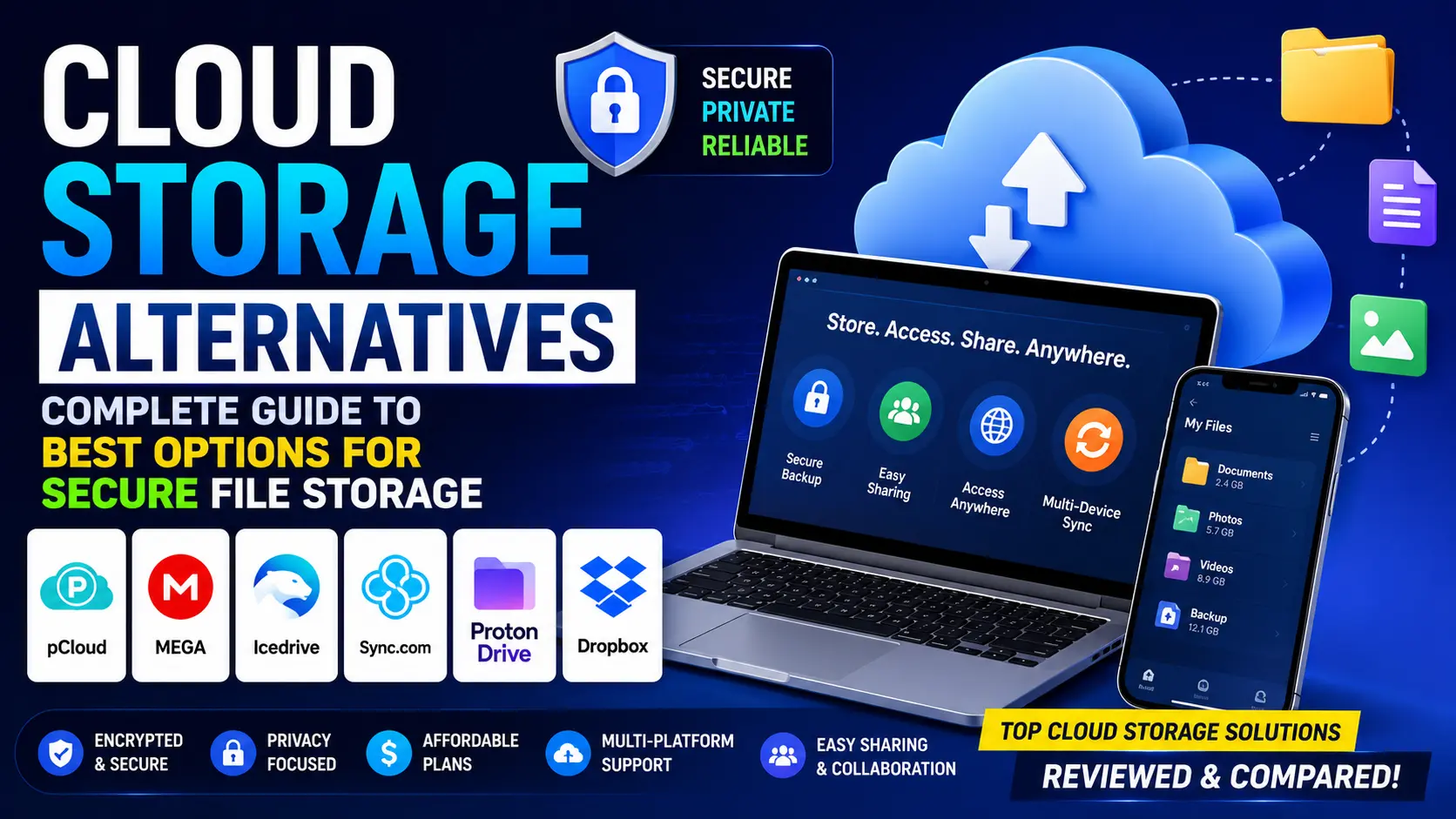
The demand for cloud storage alternatives has grown significantly in recent years. Privacy conscious users are concerned about how major technology companies handle their personal data. Business users need more storage capacity or advanced collaboration features. Budget conscious individuals want more free storage without paying premium prices. And some users simply prefer solutions that give them more control over their files and data.
According to research published by Statista, the global cloud storage market is growing at a remarkable rate with billions of users storing increasingly large volumes of data online every year. This growth has driven the development of numerous innovative cloud storage alternatives that offer compelling features, competitive pricing, and in some cases superior privacy and security compared to the dominant mainstream options.
Why Look for Cloud Storage Alternatives
Before diving into specific alternatives it is helpful to understand why so many users are actively seeking options beyond the mainstream cloud storage services. There are several compelling reasons why cloud storage alternatives have become increasingly popular and relevant.
Privacy concerns are among the most significant drivers of interest in alternatives. Major cloud storage providers like Google and Microsoft have access to all files stored on their platforms. Their terms of service typically grant them certain rights to analyze file content for various purposes including serving targeted advertising. Users who are concerned about digital privacy naturally prefer solutions that offer stronger privacy protections and more limited data access.
Storage limits and pricing are another major concern. Most mainstream services offer relatively modest amounts of free storage. Google Drive offers 15 gigabytes shared across all Google services, Dropbox offers just 2 gigabytes for free, and iCloud offers only 5 gigabytes. For users who need more storage these limits require either paying monthly subscription fees or finding alternatives that offer more generous free tiers.
File size restrictions can be frustrating for users who regularly work with large files like high resolution videos, raw photography files, or large design projects. Some mainstream services impose limits on individual file sizes that can make them impractical for certain professional use cases.
Vendor lock in is a concern for businesses and organizations that worry about becoming too dependent on a single provider. If a major cloud provider changes its pricing, discontinues a service, or experiences extended downtime, organizations that rely entirely on that provider face significant disruption.
Regional availability and compliance requirements drive some users toward alternatives. Businesses operating in certain countries or industries may have legal requirements about where their data is stored and who can access it. Some cloud storage alternatives offer data centers in specific regions or stronger compliance certifications that meet these requirements.
Top Cloud Storage Alternatives to Consider
The market for cloud storage alternatives offers a wide variety of options ranging from privacy focused solutions to generous free tier providers and self hosted options that give users complete control over their data. Here is a comprehensive overview of the most compelling alternatives available today.
pCloud is one of the most feature rich and privacy focused cloud storage alternatives available. Based in Switzerland, pCloud benefits from strong Swiss privacy laws that provide users with meaningful legal protections for their stored data. The service offers both subscription and lifetime plan options which makes it attractive for long term users who prefer a one time payment over ongoing monthly fees. pCloud offers client side encryption as an optional add on which means files are encrypted on your device before being uploaded making them completely unreadable even to pCloud employees.
Mega is another privacy oriented alternative that is well known for offering generous free storage. Mega provides 20 gigabytes of free storage which is more than most competitors offer in their free tiers. The service uses end to end encryption by default which means all files are encrypted before leaving your device and only you hold the encryption keys. Mega is accessible through web browsers and dedicated desktop and mobile applications.
Nextcloud is a powerful self hosted cloud storage solution that gives users complete control over their data by allowing them to run their own cloud storage server on their own hardware or on a rented server. While setting up Nextcloud requires more technical knowledge than using a commercial service it provides unmatched privacy and control since your data never leaves infrastructure that you own and manage.
Sync.com is a Canadian cloud storage provider that emphasizes privacy and security. Like Mega it offers end to end encryption by default which means even Sync.com employees cannot access your files. The service offers a reasonable free tier and competitive paid plans with strong collaboration features that make it suitable for both personal and business use.
Box is a cloud storage solution focused primarily on business and enterprise users. It offers strong collaboration tools, advanced security features, and numerous integrations with business productivity applications. Box is particularly well suited for organizations that need to share and collaborate on documents across large teams with detailed permission controls.
Key Factors When Choosing a Cloud Storage Alternative
Choosing the right cloud storage alternative requires considering several important factors that will determine how well the service meets your specific needs. Understanding these factors helps you make a more informed and satisfying choice.
Table 1: Key Factors for Choosing Cloud Storage Alternatives
| Factor | Why It Matters | What to Look For |
|---|---|---|
| Storage Capacity | Determines how many files you can store | Free tier size and paid plan options |
| Privacy and Encryption | Protects your personal and professional data | End to end encryption, zero knowledge |
| Pricing | Affects long term affordability | Free tier, monthly vs annual plans, lifetime options |
| Platform Compatibility | Ensures access across all your devices | Windows, Mac, Linux, iOS, Android support |
| File Sharing Features | Enables collaboration with others | Shared folders, link sharing, permissions |
| Sync Speed | Affects productivity when uploading large files | Upload and download performance |
| Security Features | Protects against unauthorized access | Two factor authentication, audit logs |
| Customer Support | Helps resolve issues quickly | Email, chat, documentation quality |
Privacy and encryption deserve special attention when evaluating cloud storage alternatives. There is an important difference between encryption in transit, encryption at rest, and end to end encryption. Encryption in transit protects files as they travel between your device and the server. Encryption at rest protects files stored on the server. End to end encryption or zero knowledge encryption goes further by ensuring that files are encrypted on your device before uploading meaning the storage provider itself cannot read your files even if compelled to do so by legal authorities.
Detailed Comparison of Top Cloud Storage Alternatives
Understanding how the leading cloud storage alternatives compare across key dimensions helps users identify which option best matches their specific requirements and priorities.
Table 2: Comparison of Top Cloud Storage Alternatives
| Service | Free Storage | Paid Plans Start | End to End Encryption | Best For |
|---|---|---|---|---|
| pCloud | 10 GB | From $4.99/month | Optional add on | Privacy focused users |
| Mega | 20 GB | From $5.83/month | Default yes | Privacy and generous free tier |
| Sync.com | 5 GB | From $8/month | Default yes | Business and privacy users |
| Nextcloud | Self hosted | Server costs only | Optional | Complete control users |
| Box | 10 GB | From $10/month | In transit and at rest | Business and enterprise |
| Tresorit | None | From $10.42/month | Default yes | Maximum security users |
| OneDrive | 5 GB | From $1.99/month | In transit and at rest | Microsoft ecosystem users |
| Backblaze B2 | None | Pay as you go | In transit and at rest | Developers and power users |
Mega stands out for offering the most generous free storage tier at 20 gigabytes with end to end encryption enabled by default. This combination makes it an excellent choice for privacy conscious users who need substantial free storage without paying anything.
pCloud is particularly attractive for users who want to make a one time payment rather than committing to ongoing monthly fees. The lifetime plan option makes pCloud potentially the most cost effective choice for long term users who plan to use the service for many years.
Nextcloud is the clear choice for users who need absolute control over their data and have the technical knowledge to set up and maintain their own server infrastructure. The complete data sovereignty it provides is unmatched by any commercial cloud storage provider.
Tresorit is positioned as the premium end to end encrypted option for security conscious business users. While it offers no free tier and commands premium pricing, its security credentials and business focused features justify the cost for users with strict security requirements.
Privacy Focused Cloud Storage Alternatives
For users who place digital privacy at the top of their priority list when choosing a cloud storage solution there are several excellent alternatives specifically designed with privacy as a core principle rather than an afterthought.
Tresorit is widely regarded as one of the most secure cloud storage services available. Based in Switzerland and Hungary, it operates under strict European privacy regulations including GDPR. All files stored on Tresorit are protected by end to end encryption using 256 bit AES encryption and zero knowledge architecture meaning Tresorit employees genuinely cannot access your files under any circumstances.
According to the official guidelines published by Electronic Frontier Foundation, users who want to protect their digital privacy should prioritize services that offer end to end encryption, clear and transparent privacy policies, and minimal data collection. These principles align directly with what the best privacy focused cloud storage alternatives offer.
Cryptomator takes a unique approach to cloud storage privacy. Rather than being a standalone cloud storage service, Cryptomator is an open source encryption tool that works alongside existing cloud storage services including Google Drive, Dropbox, and OneDrive. It creates an encrypted vault on your existing cloud storage account where files are automatically encrypted before being uploaded. This approach allows users to keep using their existing cloud storage accounts while adding a meaningful layer of privacy protection.
Internxt is a newer privacy focused cloud storage alternative built on a decentralized architecture. Files stored on Internxt are fragmented, encrypted, and distributed across multiple nodes rather than being stored as complete files on centralized servers. This distributed approach means that no single server or administrator has access to complete files, providing an additional layer of security and privacy beyond what centralized services can offer.
The growing awareness of digital privacy rights has made privacy focused cloud storage alternatives increasingly important. As more users become conscious of how their data is handled and stored online, services that genuinely prioritize user privacy rather than simply claiming to do so will continue to gain popularity and user trust.
Free Cloud Storage Alternatives with Generous Limits
One of the most common reasons users seek cloud storage alternatives is the desire for more free storage than mainstream services typically provide. Several alternatives offer significantly more generous free tiers that can meet the needs of many users without requiring any payment.
Mega continues to lead the market for free cloud storage capacity offering 20 gigabytes of free storage with end to end encryption included by default. For most individual users 20 gigabytes is sufficient for storing important documents, photos, and other files without ever needing to upgrade to a paid plan.
pCloud offers 10 gigabytes of free storage which while less than Mega is still more than Google Drive’s shared 15 gigabytes or Dropbox’s 2 gigabytes. pCloud also offers a unique bonus system where users can earn additional free storage by completing certain actions like installing the desktop application or referring friends.
Degoo offers an impressive 100 gigabytes of free cloud storage making it one of the most generous free options available. However the free tier comes with limitations including the requirement to view advertisements and restrictions on file sharing and access from multiple devices. Users who can tolerate these limitations will find 100 gigabytes of free storage extremely valuable.
MediaFire offers 10 gigabytes of free storage with a focus on file sharing rather than syncing. It is particularly useful for users who frequently share large files with others as it provides direct download links that do not require recipients to create an account to download shared files.
Table 3: Free Storage Comparison Across Cloud Alternatives
| Service | Free Storage | Encryption | File Size Limit | Ads on Free Tier |
|---|---|---|---|---|
| Mega | 20 GB | End to end | 5 GB per file | No |
| pCloud | 10 GB | Standard | No limit | No |
| Degoo | 100 GB | Standard | 50 GB per file | Yes |
| MediaFire | 10 GB | Standard | 20 GB per file | Yes |
| Internxt | 10 GB | End to end | 5 GB per file | No |
| Google Drive | 15 GB shared | Standard | 5 TB per file | No |
| OneDrive | 5 GB | Standard | 250 GB per file | No |
| Dropbox | 2 GB | Standard | No limit | No |
Self Hosted Cloud Storage Solutions
For users who want complete control over their data and are comfortable with some technical setup, self hosted cloud storage solutions represent the ultimate alternative to commercial cloud services. These solutions allow users to run their own cloud storage infrastructure on hardware they own and control.
Nextcloud is the most popular and feature rich self hosted cloud storage solution available. It is an open source platform that provides a full suite of cloud storage features including file syncing, sharing, collaboration, calendar, contacts, and much more. Nextcloud can be installed on a home server, a rented virtual private server, or even a Raspberry Pi for budget conscious users.
The advantages of self hosting with Nextcloud are compelling. Complete data sovereignty means your files never leave hardware that you own and control. There are no storage limits beyond the physical capacity of your hardware. There are no ongoing subscription fees once the initial hardware costs are covered. And the open source nature of Nextcloud means the code can be audited by anyone for security vulnerabilities.
Seafile is another excellent self hosted alternative that focuses specifically on file syncing and sharing with an emphasis on performance and reliability. Seafile uses a unique storage architecture that makes it particularly efficient at handling large numbers of files and provides excellent sync performance even over slower internet connections.
ownCloud was the predecessor to Nextcloud and remains a viable self hosted option with an active development community and enterprise support options. While Nextcloud has grown to offer more features, ownCloud maintains a strong focus on core file storage and sharing functionality with excellent performance.
Setting up a self hosted cloud storage solution does require technical knowledge and time investment. Users need to understand basic server administration, network configuration, and security best practices. However for users with these skills the benefits of complete data control and the elimination of ongoing subscription fees make self hosting a genuinely attractive and cost effective long term solution.
Cloud Storage Alternatives for Business Users
Business users have different requirements from individual users when it comes to cloud storage. Team collaboration, administrative controls, audit logging, compliance certifications, and integration with business productivity tools are all important considerations for organizational deployments.
Box has established itself as one of the leading business focused cloud storage alternatives. It offers sophisticated collaboration features, granular permission controls, comprehensive audit logging, and an extensive library of integrations with business applications. Box is particularly strong in regulated industries where compliance with standards like HIPAA and GDPR is required.
Sync.com offers strong end to end encryption alongside business focused features including team folders, user management, and remote wipe capabilities. The combination of privacy and collaboration features makes it an attractive choice for businesses that handle sensitive client data and need both security and team functionality.
Tresorit for Business provides enterprise grade security with zero knowledge encryption alongside the collaboration and administrative features that business users need. Its compliance with European data protection regulations makes it particularly suitable for businesses operating in or serving customers in the European Union.
According to the official National Institute of Standards and Technology NIST cybersecurity framework, organizations should carefully evaluate cloud service providers based on their security controls, data handling practices, and compliance certifications. This guidance underscores the importance of choosing cloud storage alternatives that can demonstrate concrete security and compliance credentials rather than simply making general security claims.
Pros and Cons of Cloud Storage Alternatives
Pros vs Cons Table
| Pros | Cons |
|---|---|
| More storage for free compared to mainstream options | Some require technical setup and maintenance |
| Stronger privacy and encryption options available | Less brand recognition may cause trust concerns |
| Greater variety of pricing models including lifetime plans | Some alternatives have smaller support communities |
| Better control over data location and access | Integration with third party apps may be limited |
| Open source options provide full transparency | Self hosted options require hardware investment |
| Specialized features for specific use cases | Interface quality varies significantly between options |
| No dependency on major tech companies | Some free tiers come with advertisements |
| GDPR and regional compliance options available | Mobile apps may be less polished than mainstream options |
| End to end encryption available as standard | Sync speed may be slower on some alternatives |
| Lifetime payment options eliminate ongoing fees | Less established track record for newer services |
How to Migrate from Mainstream Cloud Storage
Switching from a mainstream cloud storage service to an alternative does not have to be a disruptive process. With some planning and the right approach the migration can be straightforward and manageable.
The first step is to audit your current storage usage. Before migrating understand exactly how much data you have stored, what types of files they are, and which ones you actually need to keep. This is a good opportunity to clean up unnecessary files and reduce the total amount of data that needs to be transferred.
Download all your existing files from your current cloud storage service before canceling any subscriptions. Most services provide easy download options through their web interfaces or desktop applications. Make sure you have complete local copies of everything before you begin the migration.
Set up your chosen alternative and familiarize yourself with its interface and features before fully committing. Most services offer free tiers that allow you to test the platform with a subset of your files before migrating everything.
Upload your files to the new service and verify that everything transferred correctly. For very large collections of files this process may take considerable time especially if your internet upload speed is limited.
site .
Frequently Asked Questions
What are the best cloud storage alternatives to Google Drive?
Some of the best alternatives to Google Drive include pCloud, Mega, Sync.com, Tresorit, and Nextcloud. Each offers different strengths including more generous free storage, stronger privacy protections, lifetime payment options, or greater control through self hosting.
Which cloud storage alternative offers the most free storage?
Mega offers 20 gigabytes of free storage with end to end encryption included by default, making it one of the most generous free options available. Degoo offers up to 100 gigabytes free but includes advertisements and some usage restrictions on the free tier.
Are cloud storage alternatives safe to use?
Many cloud storage alternatives are extremely safe and in some cases safer than mainstream options. Services like Mega, Tresorit, Sync.com, and pCloud offer end to end encryption which provides stronger privacy protections than most mainstream cloud storage services. Always check the specific security features and privacy policy of any service before using it.
What is the difference between end to end encryption and standard encryption?
Standard encryption protects files during transfer and while stored on servers but the storage provider can still access your files if needed. End to end encryption or zero knowledge encryption means files are encrypted on your device before uploading and only you hold the decryption keys meaning the storage provider genuinely cannot read your files even if compelled to do so.
Can I use multiple cloud storage alternatives simultaneously?
Yes, many users use multiple cloud storage services simultaneously for different purposes. For example you might use one service for sensitive personal documents, another for sharing large files with clients, and a self hosted solution for your most important backups. Using multiple services also provides redundancy in case one service experiences downtime.
What is the best cloud storage alternative for business use?
For business users Box, Sync.com, and Tresorit are among the strongest options. Each offers strong security features, team collaboration tools, administrative controls, and compliance certifications that business users typically require. The best choice depends on your specific industry, team size, and compliance requirements.
How do I choose the right cloud storage alternative for my needs?
Consider your priorities including storage capacity needed, privacy requirements, budget, technical capabilities, collaboration needs, and platform compatibility. Make a list of your most important requirements and use them to evaluate and compare the available alternatives against each other.
Is self hosted cloud storage worth the effort?
Self hosted cloud storage is worth the effort for users who value complete data control, have the technical knowledge to set it up and maintain it, and plan to use significant storage over the long term. The initial setup investment is offset by ongoing savings on subscription fees and the peace of mind that comes from complete data sovereignty.
Final Verdict
The landscape of cloud storage alternatives is richer and more diverse than many users realize. Whether you are motivated by privacy concerns, pricing considerations, storage capacity needs, or the desire for complete data control there is almost certainly an alternative that better meets your specific needs than the mainstream options that most people default to.
For privacy conscious users who want strong encryption without technical complexity, Mega and Sync.com offer end to end encryption by default with easy to use interfaces and reasonable pricing. Tresorit is the premium choice for users who need maximum security and are willing to pay for it.
For budget conscious users who need more free storage than mainstream services provide, Mega offers an excellent 20 gigabytes free with strong encryption included. pCloud is the best option for users who prefer a one time lifetime payment over ongoing monthly subscriptions.
For business users who need collaboration features alongside strong security, Box and Sync.com offer the best combination of team functionality and data protection. Organizations with strict compliance requirements should evaluate Tresorit for its comprehensive security certifications.
