
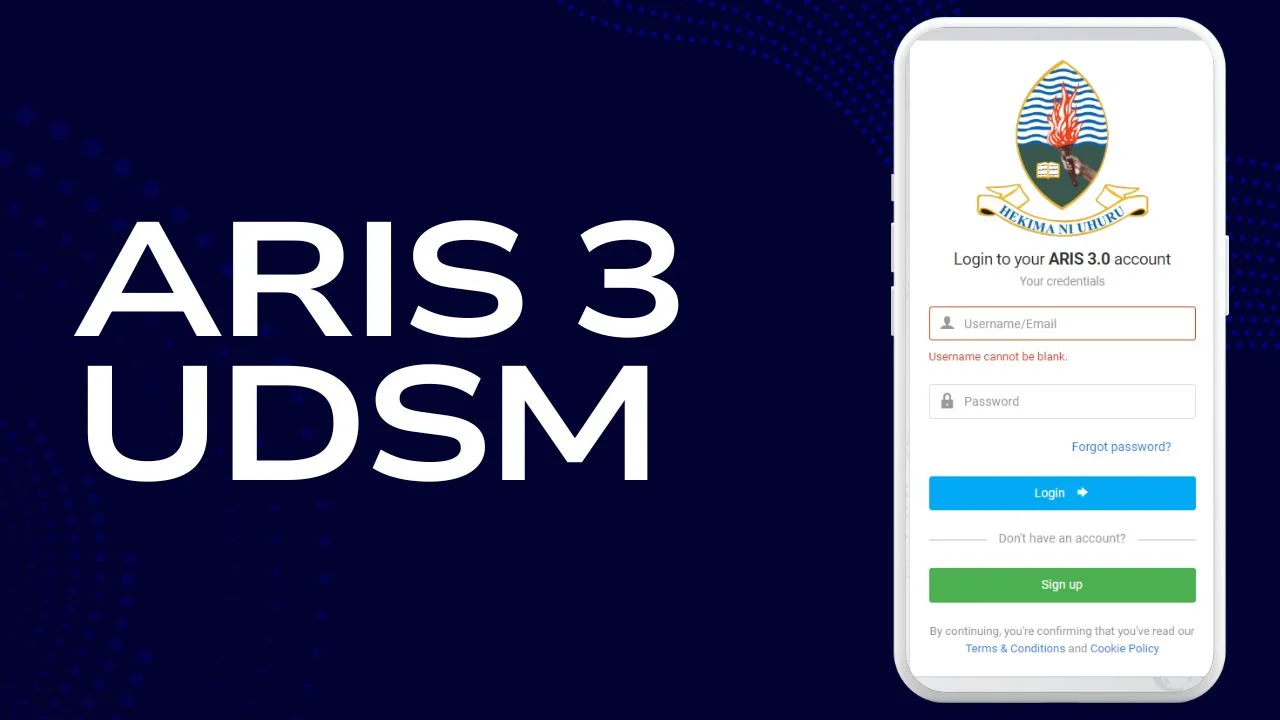
Introduction to ARIS 3 UDSM
The University of Dar es Salaam has revolutionized its academic management system with the introduction of ARIS 3 UDSM. This modern Academic Records Information System is designed to simplify, centralize, and digitize all academic processes for students and staff.
In today’s fast-paced digital era, universities are shifting away from manual systems toward integrated platforms that improve efficiency and accessibility. ARIS 3 UDSM represents this transformation by offering a seamless experience where students can manage their entire academic journey from a single dashboard.
This article provides a detailed, structured, and informative overview of ARIS 3 UDSM, including feature comparisons, functional tables, and practical insights to help students fully utilize the platform.
What is ARIS 3 UDSM? Simplifying University Services
ARIS 3 UDSM (Academic Records Information System version 3) is a centralized digital platform that manages student academic records, administrative processes, and communication.
It eliminates the need for physical paperwork and allows students to perform essential academic tasks online. From course registration to transcript generation, everything is accessible in one place.
Traditional System vs ARIS 3 UDSM
| Feature | Traditional System | ARIS 3 UDSM |
|---|---|---|
| Registration | Manual forms | Online registration |
| Course Enrollment | Office visits required | Done via dashboard |
| Grade Access | Delayed results | Real-time updates |
| Record Storage | Paper-based | Digital and secure |
| Accessibility | Limited hours | 24/7 access |
This comparison clearly shows how ARIS 3 enhances efficiency and convenience.
Key Features of ARIS 3 UDSM
ARIS 3 UDSM integrates multiple academic services into one platform.
Core Features Overview
| Feature | Description | Benefit |
|---|---|---|
| Student Registration | Online enrollment system | Saves time and reduces paperwork |
| Course Enrollment | Add/drop courses digitally | Flexible academic planning |
| Grade Management | Real-time grade updates | Immediate performance tracking |
| Academic Records | Secure digital storage | Easy access to transcripts |
| Multi-Faculty Access | Covers all departments | Unified system |
| 24/7 Access | Available anytime | Convenience |
How to Access ARIS 3 UDSM Login
Students can access ARIS 3 through the official university portal using their credentials.
Login Requirements
| Requirement | Details |
|---|---|
| Username | Student ID |
| Password | Provided by university |
| Device | Phone, laptop, or tablet |
| Internet | Stable connection required |
Step-by-Step ARIS 3 UDSM Login Process
| Step | Action | Notes |
|---|---|---|
| 1 | Visit official UDSM website | Ensure authenticity |
| 2 | Click student portal | Navigate carefully |
| 3 | Enter student ID | Unique identifier |
| 4 | Input password | Case-sensitive |
| 5 | Click login | Access dashboard |
Troubleshooting Common Login Issues
Common Problems and Solutions
| Issue | Cause | Solution |
|---|---|---|
| Incorrect password | Typing error | Re-enter carefully |
| Forgotten password | Memory lapse | Use reset option |
| Account locked | Multiple failed attempts | Contact IT support |
| Page not loading | Browser issue | Clear cache or switch browser |
Navigating the Interface
The ARIS 3 interface is designed to be simple and intuitive.
Dashboard Overview
| Section | Function |
|---|---|
| Notifications | Alerts and updates |
| Quick Links | Fast access to tools |
| Academic Summary | GPA and course status |
| Calendar | Important dates |
Search Functions and Course Management
ARIS 3 provides advanced search tools for course selection.
Course Search Features
| Feature | Description | Advantage |
|---|---|---|
| Real-time availability | Shows open seats | Avoids conflicts |
| Custom search | Filter by time/department | Better scheduling |
| Course details | Displays credits & instructor | Informed decisions |
| Waitlist system | Join full courses | Increased chances |
Record Keeping and Documentation
ARIS 3 ensures all academic records are stored securely.
Record Management Comparison
| Aspect | Manual System | ARIS 3 UDSM |
|---|---|---|
| Storage | Physical files | Digital database |
| Security | Risk of loss | Encrypted storage |
| Accessibility | Limited | Instant access |
| Transcript request | Manual process | Online request |
Grade Tracking and Analysis
Grade tracking is one of the most powerful features of ARIS 3.
Grade Features Table
| Feature | Description | Benefit |
|---|---|---|
| Real-time grades | Instant updates | No waiting |
| GPA calculation | Automatic | Accurate tracking |
| Performance analysis | Compare with class | Identify strengths |
| Progress tracking | Semester overview | Better planning |
Tips for Maximizing ARIS 3 UDSM Usage
Best Practices Table
| Tip | Description |
|---|---|
| Log in regularly | Stay updated |
| Check notifications | Avoid missing deadlines |
| Plan courses early | Secure preferred slots |
| Use mobile access | Convenience on the go |
| Monitor GPA | Track performance |
Security Best Practices
Security is crucial when using ARIS 3.
Security Measures
| Practice | Importance |
|---|---|
| Strong password | Prevents hacking |
| Do not share login | Protects data |
| Logout after use | Avoid unauthorized access |
| Enable 2FA | Extra protection |
Frequently Asked Questions
FAQ Overview
| Question | Answer |
|---|---|
| Forgot password? | Use reset option |
| Access outside country? | Yes, with internet |
| Grade updates? | Real-time |
| Mobile app? | No, but mobile-friendly |
Benefits of ARIS 3 UDSM
Key Advantages Comparison
| Benefit | Impact |
|---|---|
| Time-saving | Faster processes |
| Transparency | Clear academic records |
| Accessibility | Anytime access |
| Efficiency | Reduced workload |
| Integration | All services in one place |
Challenges and Limitations
Even advanced systems have some limitations.
Challenges Table
| Challenge | Explanation |
|---|---|
| Internet dependency | Requires stable connection |
| Learning curve | New users need time |
| Technical glitches | Occasional downtime |
| System overload | High traffic during registration |
Future Enhancements of ARIS 3 UDSM
The system is expected to evolve further.
Future Improvements
| Feature | Expected Benefit |
|---|---|
| Mobile app | Better accessibility |
| AI integration | Smart recommendations |
| Advanced analytics | Better insights |
| System upgrades | Faster performance |
Maximizing Your Academic Success with ARIS 3 UDSM
ARIS 3 is more than just a system—it is a strategic academic tool.
Academic Success Strategy Table
| Strategy | Outcome |
|---|---|
| Regular monitoring | Improved grades |
| Early registration | Better course selection |
| Performance analysis | Identify weak areas |
| Proper planning | Timely graduation |
Conclusion
ARIS 3 UDSM has transformed academic management at the University of Dar es Salaam by introducing a powerful, user-friendly digital system. Through its centralized platform, students can efficiently manage their academic records, track performance, and plan their educational journey.
The inclusion of real-time updates, secure record storage, and advanced analytics makes ARIS 3 an essential tool for modern education. While challenges such as internet dependency exist, the overall benefits far outweigh the limitations.
By understanding and effectively using ARIS 3 UDSM, students can significantly enhance their academic experience, stay organized, and achieve long-term success in their studies.
Frequently Asked Questions (FAQs) About ARIS 3 UDSM
1. What is ARIS 3 UDSM?
ARIS 3 UDSM (Academic Records Information System version 3) is an online platform used by the University of Dar es Salaam to manage student academic records, course registration, grades, and other academic services in one centralized system.
2. How do I log in to ARIS 3 UDSM?
To log in:
- Visit the official UDSM website
- Go to the student portal
- Enter your student ID as your username
- Input your password
- Click “Login” to access your dashboard
3. What should I do if I forget my password?
You can reset your password by:
- Clicking on the “Forgot Password” link on the login page
- Following the instructions sent to your registered email
If this doesn’t work, contact the university IT support team.
4. Can I access ARIS 3 UDSM from outside Tanzania?
Yes, ARIS 3 UDSM can be accessed from anywhere in the world as long as you have:
- A stable internet connection
- Your login credentials
5. How often are grades updated in ARIS 3?
Grades are updated in near real-time once instructors upload them. However, the exact timing may vary depending on the course and lecturer.
6. Is there a mobile app for ARIS 3 UDSM?
Currently, there is no dedicated mobile app. However, the platform is mobile-friendly and works smoothly on smartphones and tablets via a web browser.
7. How do I register for courses using ARIS 3?
After logging in:
- Go to the course registration section
- Search for available courses
- Select your desired courses
- Confirm your registration
The system will automatically check prerequisites.
8. Can I change or drop courses after registering?
Yes, you can add or drop courses within the allowed registration period through the ARIS 3 dashboard.
9. How do I check my GPA?
Your GPA is automatically calculated and displayed on your dashboard. It includes:
- Semester GPA
- Cumulative GPA
10. How can I request my academic transcript?
You can request your transcript directly through ARIS 3:
- Navigate to the academic records section
- Submit a transcript request
- Download the generated document
11. What should I do if I cannot log in?
If you’re unable to log in:
- Check your username and password
- Clear your browser cache
- Try a different browser
If the issue persists, contact IT support.
12. Is my data safe on ARIS 3 UDSM?
Yes, the system uses secure encryption and authentication methods to protect your personal and academic data.
13. Can I access past academic records?
Yes, ARIS 3 stores your complete academic history, including:
- Previous courses
- Grades
- Transcripts
14. What devices can I use to access ARIS 3?
You can access ARIS 3 using:
- Smartphones
- Tablets
- Laptops
- Desktop computers
15. Why is ARIS 3 important for students?
ARIS 3 is essential because it:
- Simplifies academic processes
- Saves time
- Provides real-time updates
- Helps track academic progress
16. What should I do if the system is down?
If ARIS 3 is temporarily unavailable:
- Wait and try again later
- Check for university announcements
- Contact IT support if the issue continues
17. Can I use ARIS 3 for financial information?
Yes, ARIS 3 may provide access to fee statements and payment status, depending on your program and settings.
18. How can I maximize my use of ARIS 3?
To get the most out of ARIS 3:
- Log in regularly
- Monitor your grades
- Check announcements
- Plan your courses in advance
